
March 2026
Building Lectr
While building Lectr, a reading notebook for iOS, I kept running into the same two questions. Not about code (Claude Code handled most of that). The questions were simpler and harder: should this exist at all? And if it should, where does it belong?
That second question is the sneaky one. The answer is sometimes “right here in the app.” But sometimes it’s “on a different screen,” or “behind a search operator,” or “on a completely different platform.” When implementation is cheap, you can build anything. The work is noticing when “anywhere” includes somewhere you weren’t looking.
The Slop Temptation
When implementation is fast, the temptation is to say yes to everything. I felt this constantly while building Lectr. Every feature idea was buildable, every edge case handleable. The friction that used to exist, the hours or days it would take to build something, acted as a natural filter. If a feature wasn’t worth the time, it didn’t get built. That friction is largely gone now, and I found myself having to supply it manually.
Without that friction you get what I’d call AI slop. Not in the sense of bad code but in the sense of bloated, unfocused products that try to do everything and end up feeling like nothing in particular. Feature lists that grow and grow because each individual addition was easy to justify and easy to build. Menus that accumulate options like sediment. I caught myself heading there more than once.
A Filter Menu
Lectr has a library screen where you filter and search your books. My first version had a filter menu with status, rating, source, and more. It all worked. It all worked. It was just… too much. One of those screens where nothing is wrong individually but the whole thing is visibly tipping in the wrong direction. “Where does this end?” if I just keep adding to the menu...
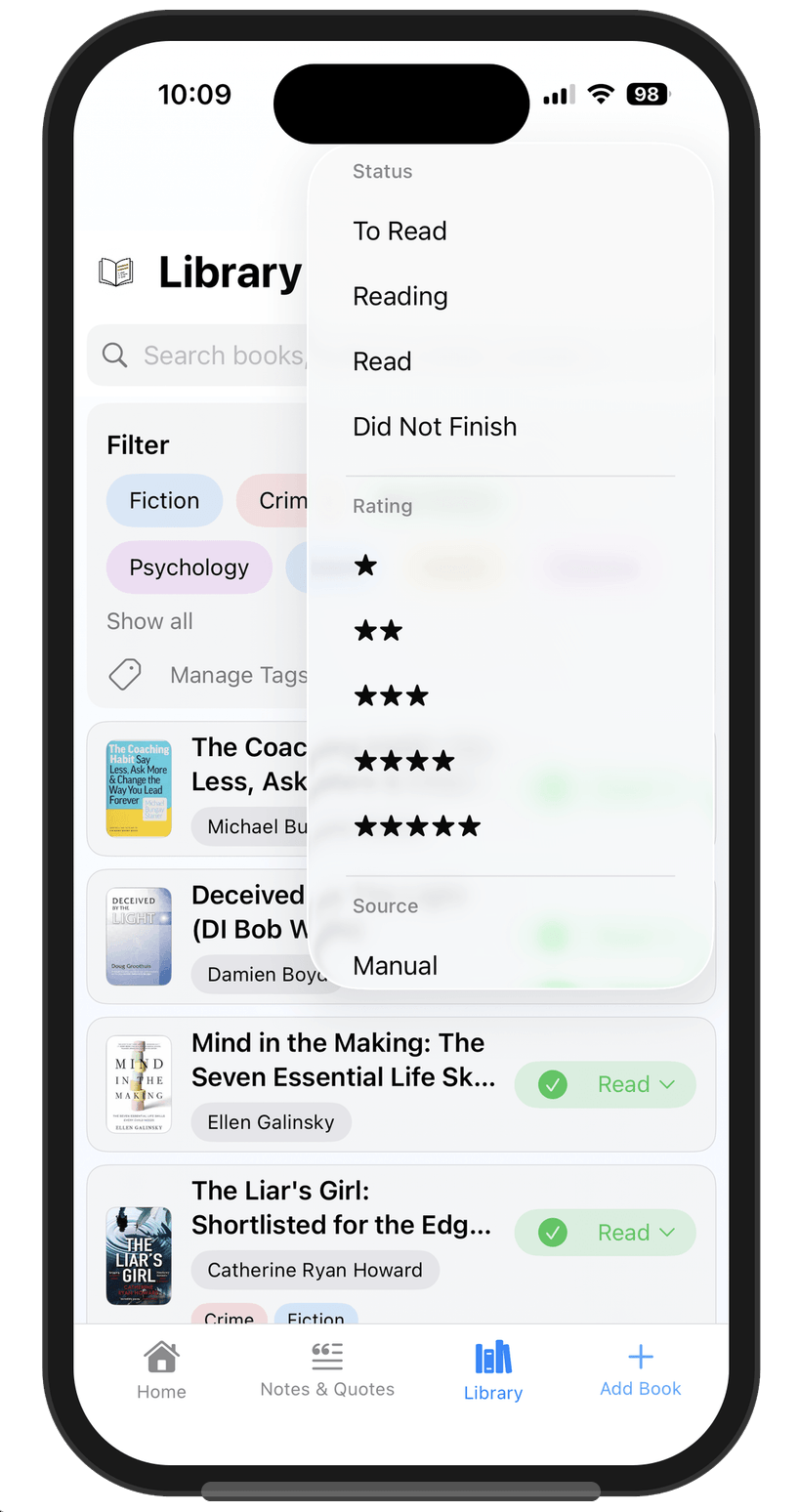
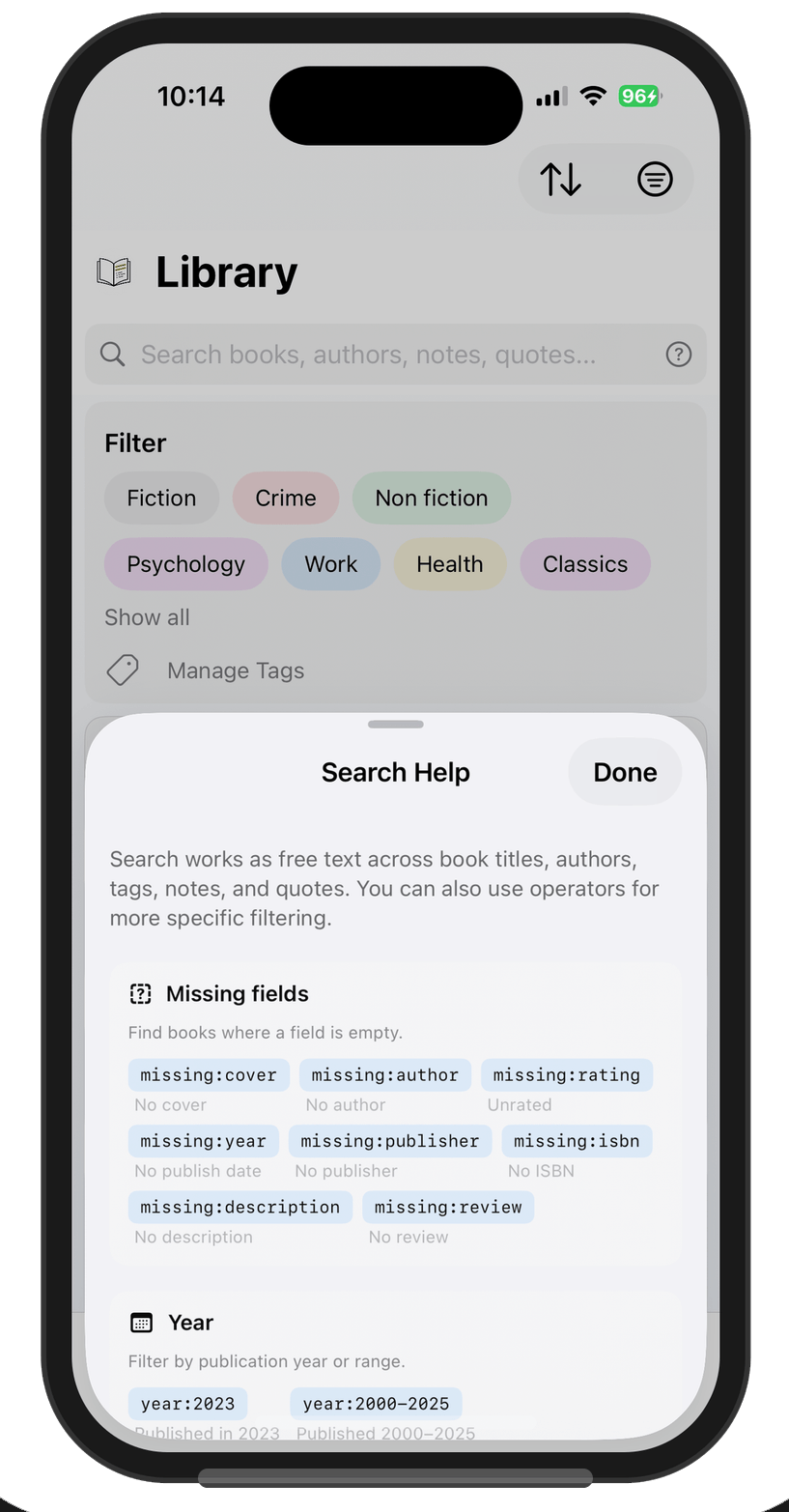
So I stripped it back to status and stars. Everything else lives in the search bar as
typed operators: missing:cover, missing:rating, and so on. A
help sheet lists them all, and every operator is a tappable pill. Tap
missing:cover and it runs the search directly.
That decision came from using my own app every day. I know my most common
“advanced” search is missing:cover, finding books that imported
without cover images so I can fix them. I need that capability. I don’t need it
taking up permanent screen space. Claude Code could absolutely have built either version
given the right prompts. The difference was knowing which version to ask for, and that
came from dogfooding, not engineering.
The Import Funnel
Lectr imports from Goodreads, StoryGraph, Calibre, and Kindle, each of which exports CSV differently. When I asked Claude Code to build this, it proposed a dedicated importer for each source, all with their own validation and enrichment logic. Reviewing the planned approach, I realised I’d already built and battle-tested a Lectr CSV importer that did all that hard work. What I actually needed was four thin converters that each transform a source CSV into Lectr’s own format, then feed into the existing pipeline. Honestly I didn’t see this immediately either. It clicked when I stepped back and looked at the bigger picture.
The funnel architecture is a standard pattern, nothing special. What took longer to figure out was that the long tail of CSV formats didn’t belong in the mobile app at all. People export from LibraryThing, from personal spreadsheets, from library catalogue systems. I can’t anticipate every format. The natural direction systems drift in is more of the same, scaled up: keep adding converters inside the app, an ever-growing list of supported sources.
Instead, I took the problem somewhere else entirely. A generic column-mapping interface doesn’t belong in a mobile app where screen space is precious and the interaction would be fiddly. So I built a web-based CSV converter. Drop any CSV file in, map your columns to Lectr fields with dropdown menus, preview the result, download a ready-to-import file. It runs entirely in the browser, nothing is uploaded to any server, and the app doesn’t need to know about it at all.
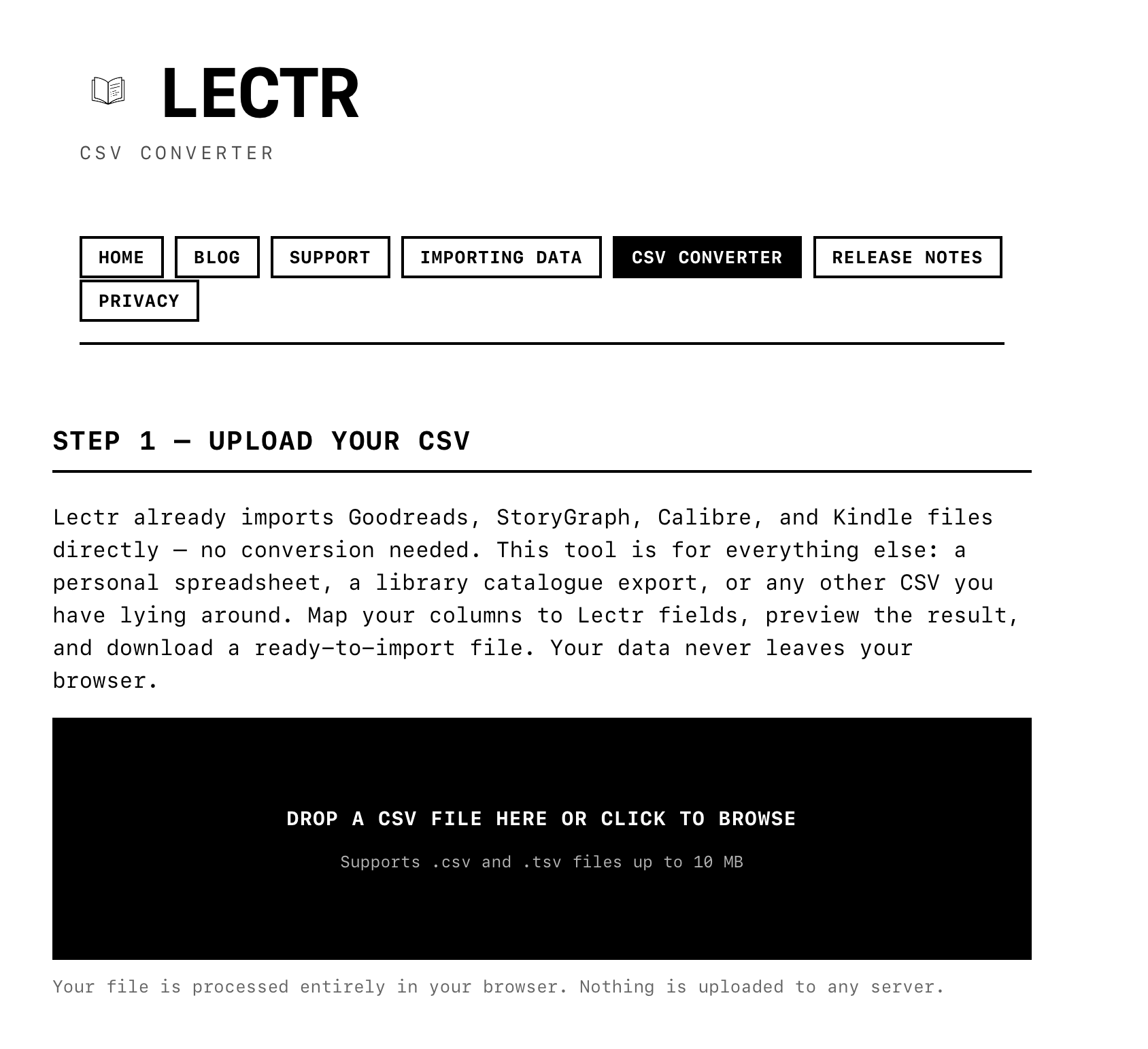
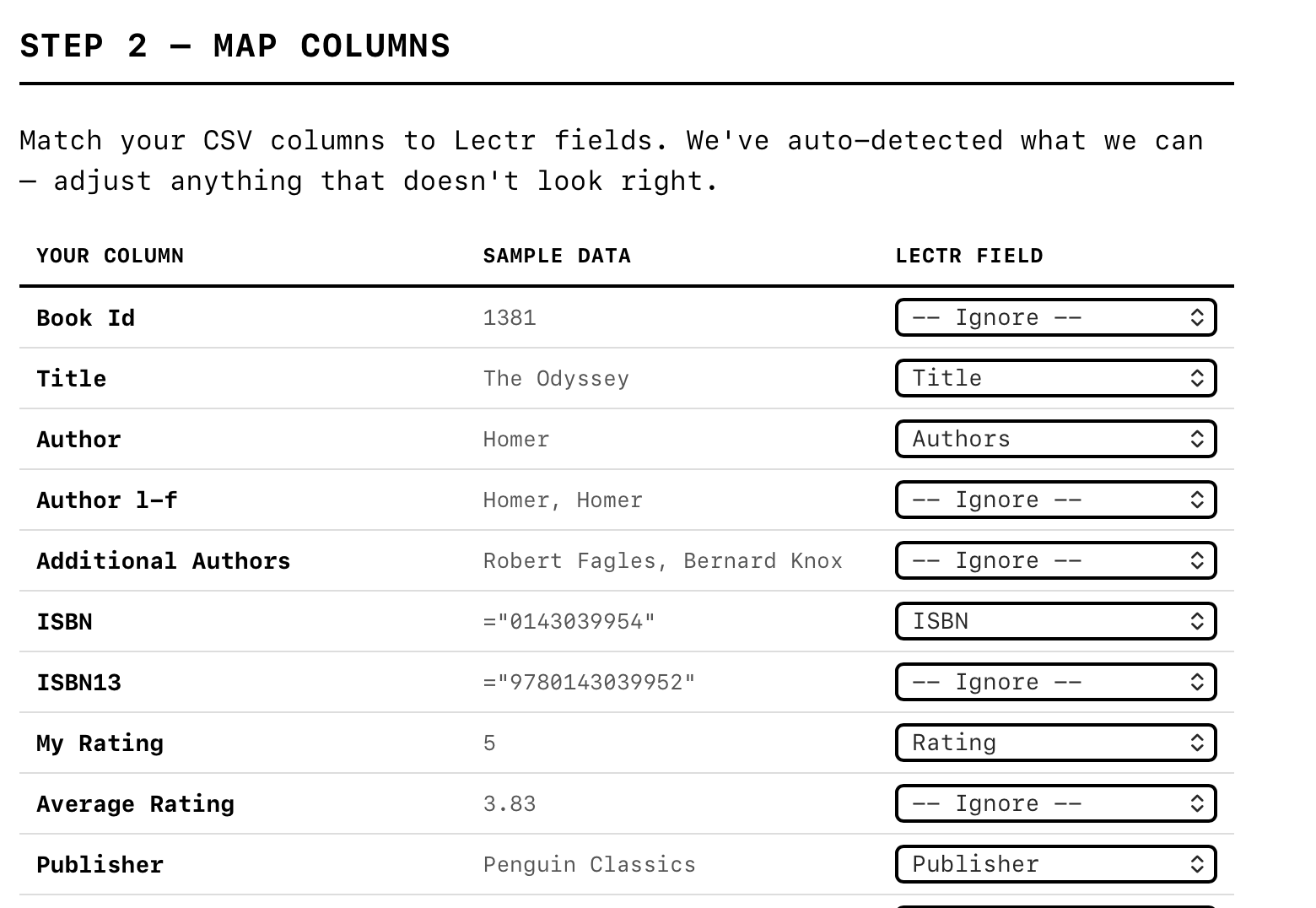
The web is simply a better surface for this kind of task: a wide screen, a proper table layout, columns you can scan at a glance. The app stays clean and focused. The converter handles the long tail. And the funnel pattern still holds: every CSV, no matter where it started, passes through the same tested import pipeline.
That’s not the kind of leap that comes from a better prompt or a more detailed plan. It requires stepping outside the codebase you’re working in and asking whether this is even the right place to solve the problem. I’ve definitely shipped the wrong version of this decision before, adding complexity inside the app when the problem belonged somewhere else.
What I Actually Spent My Time On
Lectr doesn’t have social sharing, reading streaks, AI-generated summaries, or affiliate links to buy books. It doesn’t even have a “delete all data” button. If you need that, there are instructions on the support site. No need to ship a nuclear option that’s just a footgun with no real upside. All of these came up during development, and all of them would have been easy to build. Being a solo developer makes it easier to say no, I’ll admit. There’s nobody to argue with except myself, and my only real test was: do I actually want this in the app I use every day?
That’s basically what I spent my time on. Deciding what belonged and what didn’t, which is the same job it’s always been. None of this is new. Engineers have been making these calls forever. The difference is that when implementation is fast and cheap, the calls are pretty much all that’s left.
— John
PS: ChatGPT tells me “some readers may still suspect this piece is subtly marketing the app.” I’m honoured that this could be seen as subtle.
Lectr is a reading notebook for iOS. Private, offline, no subscription. Android - coming April 2026.
